 Tech


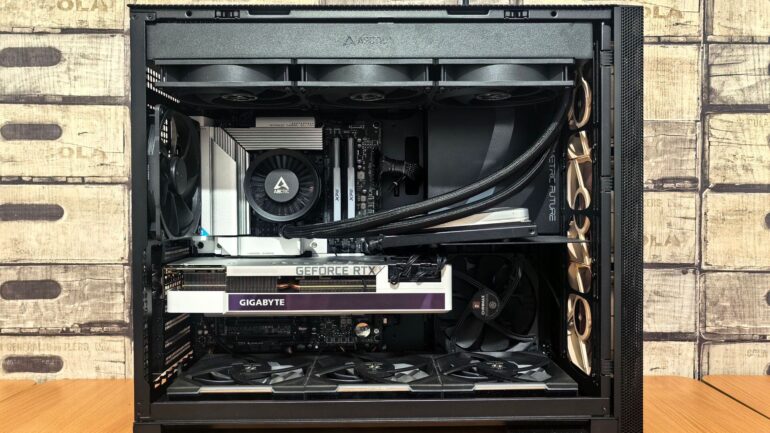
A new free Windows app called RTX Lens can watch the current flowing through each pin of the power connector on GeForce RTX 5090 and RTX 5080 cards. The catch is that the headline feature only works with a short list of hardware that has built-in current sensors.
The tool comes from Greece-based developer Nikolas Andreou, who publishes on GitHub as Codeh4ck. He says he built it because he owns two RTX 5090 cards. It is released under the LGPL-3.0 licence and runs on 64-bit Windows 10 and 11.
Why per-pin monitoring matters
Nvidia moved to the 16-pin 12VHPWR connector with the RTX 4090 and RTX 4080. Melted plugs were reported within weeks of the RTX 4090’s October 2022 launch, and Nvidia said by November that it knew of about 50 cases globally, often involving connectors that were not fully seated.
PCI-SIG’s revised 12V-2×6 design arrived in 2023 with shorter sense pins and longer power terminals. Even so, RTX 5090 and RTX 5080 connectors have continued to melt, and the newer failures point to uneven current across the six 12V pins. In February 2025, Roman “der8auer” Hartung measured more than 22A on a single wire of his RTX 5090 Founders Edition, against a per-pin rating of about 9.5A.
What RTX Lens reads
On any desktop GeForce RTX card, the app shows standard telemetry such as clocks and temperatures. Per-pin data requires one of three sources:
- Asus ROG Astral RTX 5080 and RTX 5090: current sharing across the six 12V pins, measured at the card.
- Thermal Grizzly WireView Pro II: an inline module at the GPU socket reporting per-pin current, voltage and power, plus connector temperatures, cable rating and device faults.
- MSI MPG Ai1300TS and Ai1600TS power supplies: per-pin current on both 12V-2×6 outputs at the PSU end, along with PSU temperature and fan status.
Combining a GPU-side source with an MSI unit lets users compare both ends of the same cable. That could matter: when a 12V-2×6 cable melted on Hardware Unboxed’s ROG Astral RTX 5090 test system in September, the worst damage was at the PSU end while the card was unharmed. Thermal Grizzly, maker of the WireView Pro II, is run by Hartung.
Alerts, shutdowns and phone apps
RTX Lens can record gaming or benchmark sessions and export them as interactive HTML charts. Users can set warning thresholds per device, with an optional shutdown if a warning persists. A background Windows service keeps the protections active after the window is closed, although Windows notifications need the desktop app to stay in the system tray.
For MSI PSU owners, the app can configure per-connector Safeguard+ alarms in MSI Afterburner, which can drop the GPU to a low-power profile or trigger a delayed shutdown. A Corsair Xeneon Edge widget is available through iCUE.
Phone alerts take more effort. Android needs a sideloaded APK, while the iPhone version is offered as a TestFlight beta or an IPA file, though the IPA link was returning an error at the time of writing. Both store releases are awaiting approval.
A safety net, not a fix
RTX Lens is not the first tool of its kind. Humza Khalid’s 12VHPWR Guard, released in August, shuts down Astral-equipped systems when any pin stays above 9.5A for 15 seconds by default. Asus has also added an optional auto-shutdown to GPU Tweak III, fixed at 12.5A per wire. RTX Lens differs by combining three sensor sources, both cable ends and phone alerts in a single free app.
Hardware is the main limit. Most RTX 5090 and RTX 5080 cards do not expose per-pin current, so owners of non-Astral models need a WireView Pro II, which launched at €119.90, or a supported MSI power supply. The software is also young, with ten releases between November 12 and 23.
A shutdown responds to a fault without removing its cause, so warnings should still prompt a proper cable inspection. Monitoring can shrink the gap between a developing problem and a melted plug, but it does not make the connector itself more forgiving.
Source: Notebookcheck