 Tech


Smartphone batteries are lithium-ion cells that wear out with use, and a handful of everyday charging habits can speed that up. Apple says how fast a battery ages depends on how the phone is charged and the temperatures it is exposed to.
Modern phones handle part of the job automatically. iPhones offer Optimized Battery Charging, Pixel phones have Adaptive Charging, and Samsung Galaxy phones include battery protection. Overnight charging is less of a worry than it once was. These tools do not cancel out heat or faulty cables, though, and some Galaxy phones still need the protection setting switched on manually.
1. Leaving the phone at 100 percent
Batteries age faster when they sit at full charge for long periods. That is why makers added settings that cap or delay the final stretch of charging.
- iPhone 15 and later: Settings > Battery > Charging, then choose a limit between 80 and 100 percent. Older iPhones use Optimized Battery Charging under Battery Health & Charging.
- Pixel: Settings > Battery > Battery health > Charging optimization, then pick Adaptive Charging or Limit to 80 percent. The 80 percent limit is available on Pixel 6a and later.
- Galaxy (One UI 6.1 or later): Settings > Battery > Battery protection, where the Maximum option stops charging at 80 percent.
The trade-off is up to a fifth less battery for the day, so it is worth turning the limit off before a long one.
2. Draining the battery to zero
There is no need to run a modern phone flat before plugging it in. A charge cycle means using the equivalent of 100 percent of capacity, even if that is spread across several days, so topping up twice a day is fine.
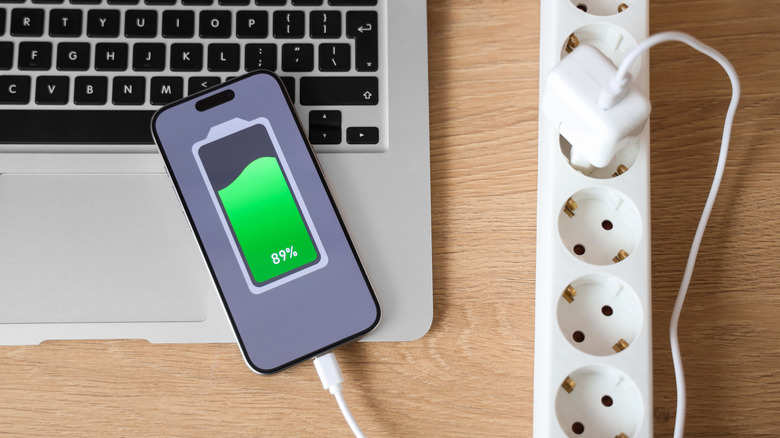
The opposite problem is a battery left empty for a long time, which can stop holding a charge at all. For a phone headed to a drawer, the advice is to charge it to about 50 percent, switch it off, and top it back up to roughly 50 percent after six months.
3. Charging in a warm place
Heat is hard on lithium-ion cells. Apple says iPhones are designed to operate between 0 and 35 degrees Celsius, and very hot conditions can shorten battery life. Parked cars on hot days and charging under a pillow or blanket are common culprits.
Phones do protect themselves by slowing or pausing charging when they get too hot. Pixel phones, for example, limit charging to roughly 70 to 80 percent after hours of charging in high heat. Those safeguards only react to heat, so the better approach is to avoid it: charge on a hard, flat, shaded surface and remove the case if the phone runs warm.
4. Using the phone while it charges
Heavy use warms a phone, and so does charging. Doing both together compounds the problem. Samsung recommends not using the phone at all while it charges, and Apple lists games and video streaming among the activities that heat up an iPhone.
For demanding apps, charge first and play later. If the phone gets too hot, unplug it, close the apps and let it cool. Fast and wireless chargers can add warmth too, and an iPhone showing a temperature warning should be switched off and moved somewhere cooler.
5. Using the wrong charging setup
Wireless charging generates its own heat, and two things make it worse. Google says thick or metal cases can slow charging or stop it entirely. Objects between the phone and the pad, such as a card or keys, have a similar effect.
If wireless charging cuts out, the phone may simply be waiting to cool down. Try a slimmer case or none, centre the phone on the pad, and use a certified charger.
Wired charging is not immune. Samsung says an incompatible or damaged cable or charger can heat the phone, and a bad cable can even heat the charging port. Stick to original or certified accessories that match the phone’s listed ratings, and replace any that are damaged rather than keep using them.
Source: Engadget