 Tech


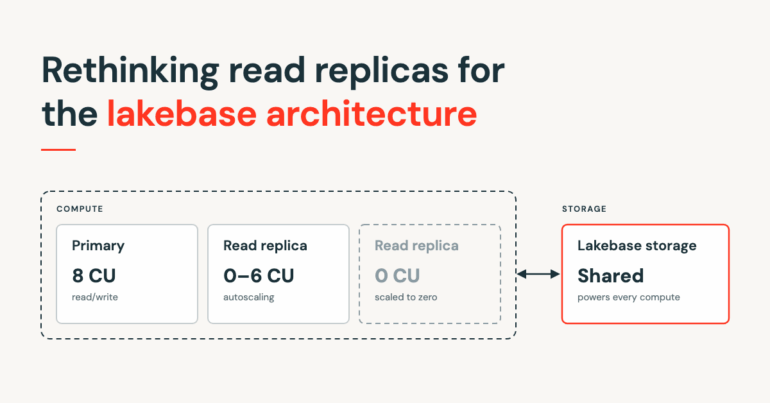
Databricks has detailed how read replicas work in Lakebase Postgres, saying a replica is simply another compute attached to the storage the primary already uses. According to the company, that makes replicas ready in seconds, adds no storage, lets them autoscale with read load and allows them to scale to zero when idle.
The company contrasts this with traditional managed Postgres services such as Amazon RDS, where a read replica is a physical clone of the primary with its own instance and storage volume.
Why traditional replicas fall short
Databricks said that creating a replica on RDS means taking a snapshot of the primary, provisioning a new instance, filling its volume, and then using streaming replication to catch up on changes made since the snapshot. Depending on database size and write activity, that can take minutes to hours.
The company listed four resulting problems: each replica duplicates the full dataset and its storage bill; replicas cannot be created quickly enough to answer a traffic spike; they typically run around the clock; and they do not autoscale. Databricks said many teams respond by oversizing the primary or keeping one replica running permanently.
How Lakebase changes the model
Lakebase Postgres separates compute from storage. The compute layer runs Postgres and holds no durable state. The storage layer handles durability and history, using safekeepers that replicate the write-ahead log (WAL) with a Paxos-based protocol, pageservers that turn WAL into pages, and object storage for long-term history.
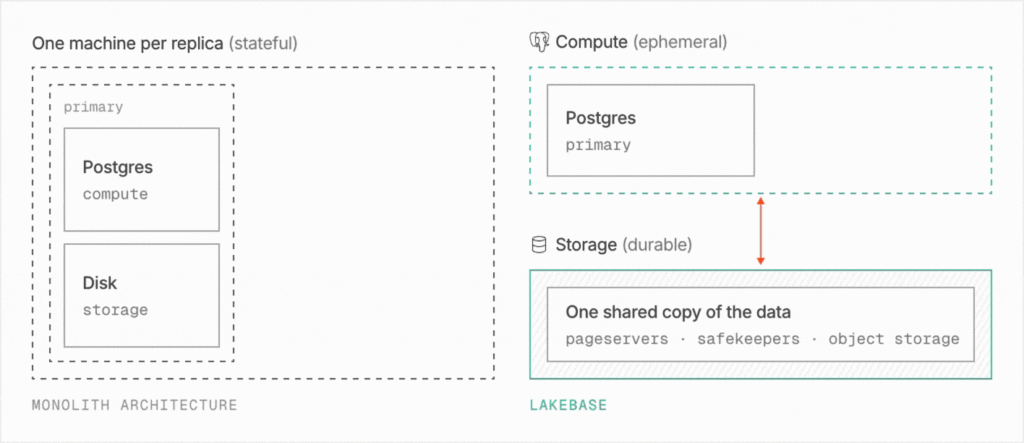
Because compute owns nothing durable, more than one compute can attach to the same storage. Databricks said creating a replica involves starting a read-only compute, initializing it from a slim base backup served by the pageserver, and connecting it to the safekeepers and pageservers. None of those steps depends on database size, the company said, so creation takes seconds for small and large databases alike. It also adds no replication work to the primary.
A replica keeps a local cache in shared buffers and on local NVMe, but Databricks said this starts empty and holds nothing durable.
Autoscaling and cost
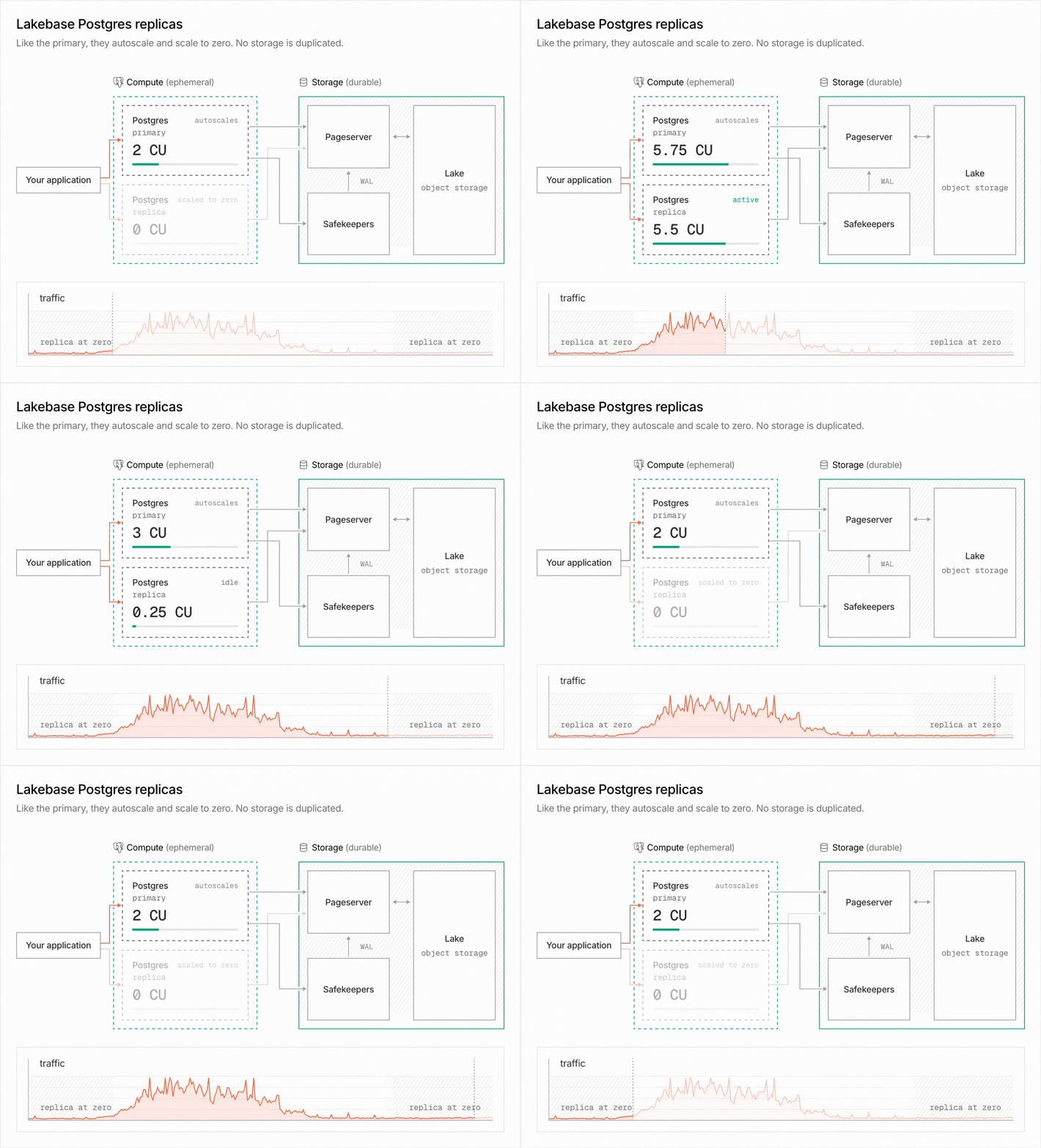
Each replica has its own autoscaling range, configured independently of the primary. By default, a replica suspends after five minutes of inactivity and restarts on the next query. Databricks said there is no WAL backlog to replay on wake because storage kept ingesting WAL while the replica was suspended.
On cost, the company said a replica is billed only for the compute it uses, and storage is billed once for the data in the storage layer. It gave the example of three replicas on a 1 TB database: on RDS that means paying for 4 TB of storage, while on Lakebase it remains 1 TB.
Use cases Databricks highlights
With cheap, short-lived replicas, Databricks said teams can assign one per workload. It listed several patterns:
- Splitting reads and writes, with feeds, product pages and search sent to replicas
- Absorbing launches and temporary traffic spikes
- Offloading analytics, BI and reporting so heavy scans do not evict hot data from the primary’s cache
- Ad-hoc queries and production investigations on live data
- Read-only access for AI agents, partners, auditors and third-party tools
- Isolating background jobs such as nightly exports or search index rebuilds
- Agents adding read capacity for their own tasks
Databricks said a replica rejects every write at the compute level, so users of a replica cannot alter production data by accident.
The company said it will cover how it approaches high-availability replicas in the lakebase architecture in a future post. This article concerns only replicas used for scaling reads.
Source: Databricks Blog