 Tech


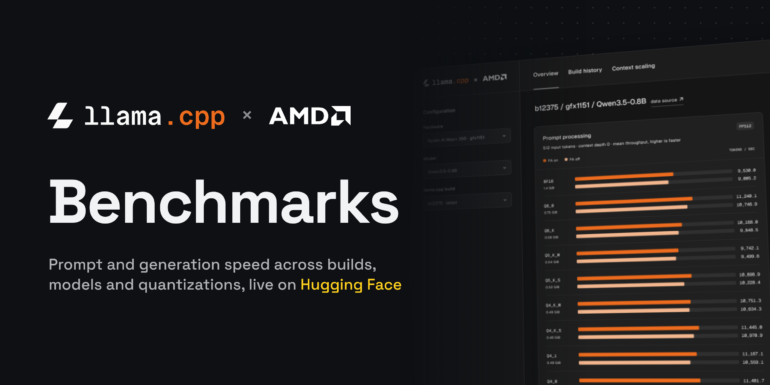
The ggml-org team has released a public benchmark dashboard on Hugging Face that tracks how llama.cpp runs on AMD Ryzen and Radeon hardware. It shows prompt processing and text generation speeds across llama.cpp builds, models and quantizations.
The team said local inference performance shifts as models, kernels and builds change, and it wants those shifts to be easy for any AMD developer to inspect. Users pick a hardware target, a model and a build, then compare quantizations and follow results over time.

Two GPUs at launch
The hardware options in the configuration sidebar are currently the Radeon 8060S (gfx1151) and the Radeon AI Pro R9700S (gfx1201).
The dashboard has three tabs:
- Overview: compares quantizations for a single hardware, model and build.
- Build history: follows results across all recorded builds for a chosen hardware, model and quantization.
- Context scaling: shows how token-generation throughput changes as the existing context grows.
What is measured
Two tests are reported, both in tokens per second. PP512 processes 512 input tokens with no generation, indicating how quickly a model handles a prompt. TG128 generates 128 tokens and indicates how fast the model produces output. Both start at context depth zero, and the plotted value is the mean throughput.
How the benchmarks run
The team benchmarks the prebuilt binaries distributed through llama-install.sh, the build and installation project behind llama.app. Public workflows for gfx1151 and gfx1201 run weekly. They use the llama-bench tool with Flash Attention switched on and off, with 10 repetitions per configuration.
The model set will change over time. It currently includes Inkling 2 Mini, Qwen, Gemma, gpt-oss and LFM models, covering both dense and mixture-of-experts architectures. Available GGUF formats include Q4_K_M and Q8_0, along with higher-precision formats such as BF16 and F16.
Open data
The dashboard reads directly from the public ggml-org/install.sh-benches-data Storage Bucket on Hugging Face. A data source link beside each chart title opens the folder for the selected build, hardware and model.
Standard results are stored as build/hardware/model/quant.jsonl files. Workload sweeps sit in the same folder, using a quant-tg.jsonl filename. The team said people can use the files to investigate a result, build their own charts or compare against a local run.
The team thanked AMD for providing test infrastructure and helping validate the setup. It also invited users to say which models and workloads they would like added next.
The launch follows the release of llama.cpp v1.0.0 earlier this month, which the same team described as a stronger foundation for the local AI ecosystem.
Source: Hugging Face Blog