



Google Maps has quietly rolled out a small but welcome improvement to its Android Auto interface. The navigation banner has returned to a centered position, a layout Google previously attempted but pulled back due to conflicts with other interface elements. This time the update has been implemented cleanly, keeping surrounding UI components clear so the navigation area remains readable. It is not yet confirmed whether the rollout is universal, as some users still report seeing the older layout.
The change offers a clearer view of routes and on-screen details, especially on narrower dashboards where clutter can affect readability. While subtle, it follows Google’s ongoing effort to streamline the Android Auto experience without altering the underlying workflow drivers are used to.
Table of Contents
A new power-saving mode appears in the codebase
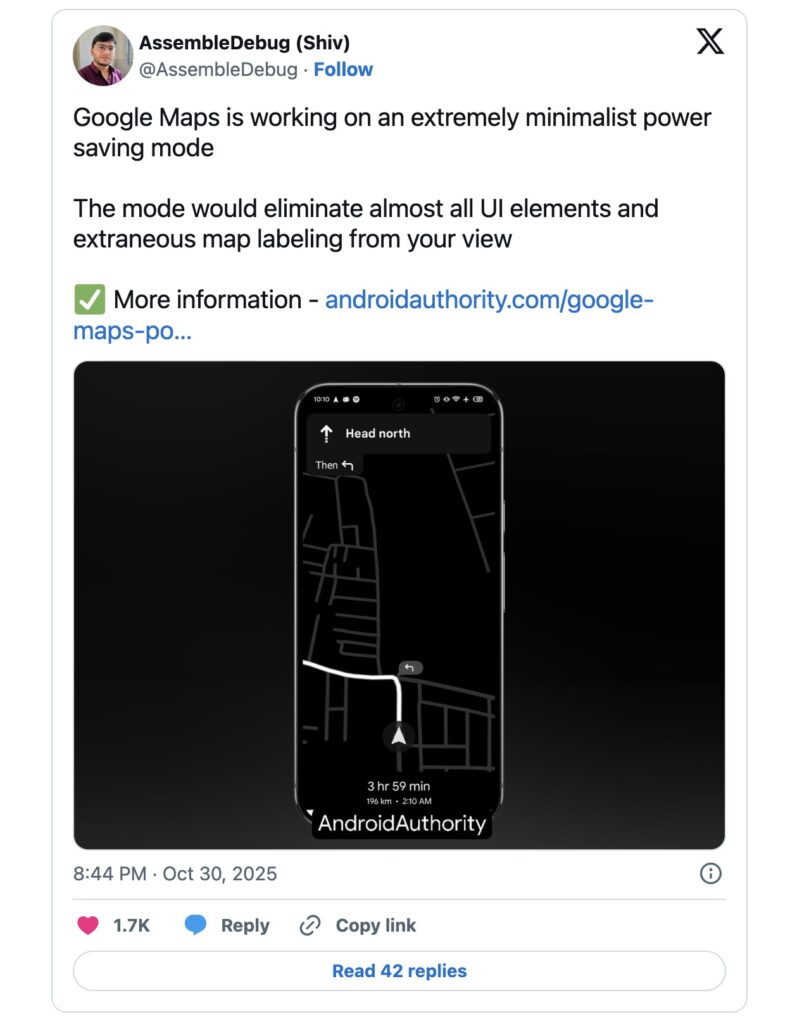
A second update appears to be on the horizon. Code from the latest Google Maps Android release reveals a battery-saving navigation mode. This feature is not yet active, but early screenshots show a simplified interface that switches the screen to black and white and removes nonessential UI elements.
The intention is straightforward. Navigation drains battery, especially when running in bright mode for extended periods. The upcoming mode should help drivers stretch their remaining charge long enough to reach their destination. It is the type of safeguard that matters during long trips, rideshare work, or situations where charging options are limited.
Practical benefits with no announced release date
Google has not officially discussed the new power-saving mode. Features in testing often evolve significantly before public release, but its presence in the code suggests it is approaching readiness. Once available, it could become a useful fallback during low-power situations, reducing the risk of losing navigation mid-journey.
Both improvements reinforce Google’s focus on practical usability rather than cosmetic changes. Android Auto users get a more stable interface now, and soon may gain a tool that prioritises reliability when the battery is running low.
