



Microsoft has acknowledged a bug impacting the File Explorer in Windows 11, which results in a brief white screen flash during launch or when performing certain tasks. This issue started after the December 2025 update KB5070311, which introduced improvements aiming for a more consistent dark mode experience in File Explorer. The flashing has been reported to occur when users open File Explorer, navigate to or from the Home or Gallery tabs, create new tabs, toggle the Details pane, or select more details when copying files. Users have reported the flash is especially disruptive when using dark mode in low-light environments, as the bright white flicker contrasts sharply with the intended dark UI.
This problem affects both the stable Windows 11 releases and Windows Insider preview builds, showing up in recent versions as users upgrade. Microsoft’s engineers are actively investigating the root cause and are working on a resolution, although no specific timeline for a fix has yet been provided. In the meantime, workarounds include temporarily switching File Explorer to windowed mode rather than full screen to reduce the jarring effects and using third-party mods like Windhawk to restore previous dark mode functionality. However, these are imperfect solutions while users await an official patch.
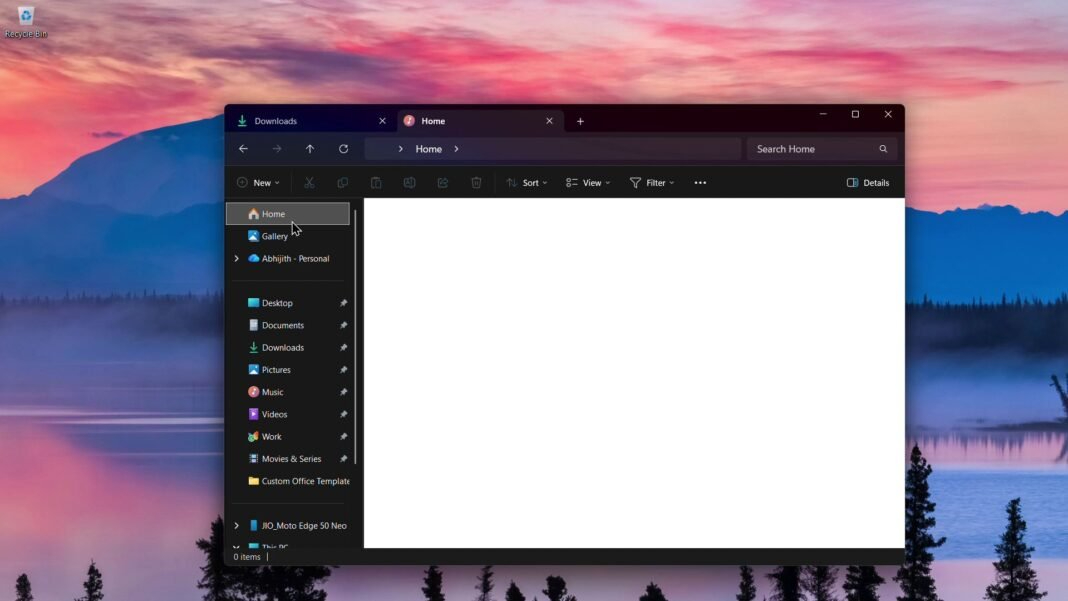
Microsoft engineers are actively investigating the issue and prioritize developing a fix. While there is no confirmed timeline, the company plans to roll out the fix in upcoming cumulative or feature updates. Users experiencing this bug can try workarounds such as disabling full-screen mode for Explorer or using third-party tools to restore the previous UI experience temporarily. This white flash is among several minor graphical glitches reported since Windows 11’s launch and updates. Microsoft continues refining the user interface and has said the visual flash bug is being addressed. Users can expect resolution through future software updates to ensure a smoother experience in File Explorer across all supported devices and configurations.
