

• 21/02/2026
  • Home
  • About us
  • Contact Us
  • Privacy Policy
  • Subscribe
  • Tech News
    Tech News

    Samsung mobile AI photography tools teased ahead of the San Jose Unpacked event

    YouTube outage in the United States leaves thousands of users in the dark

    open ai

    OpenAI Cameo lawsuit results in court ordering the company to stop using the term immediately

  • Reviews
    Reviews

    The ASUS ExpertCenter PN54 is a tiny AI powerhouse that actually delivers

    Nintendo Alarmo, Nintendo Sound Clock, bedside gadget, Zelda, Mario Odyssey, motion sensor alarm, sleep tracking, nostalgic gadgets, quirky alarm clock, tech reviews, gadget analysis, fan collectibles, device setup

    Nintendo Alarmo Review

    Panasonic Z85A, OLED TV, 2024 TV lineup, mid-range TVs, gaming TV features, Dolby Vision, HDR10+, Fire TV, OLED picture quality, smart TV review, home entertainment, 4K TVs, Panasonic TVs comparison, tech review

    Panasonic Z85A OLED TV Review

    AMD Ryzen 7 9800X3D, AMD gaming processor, Ryzen X3D series, gaming CPU, AMD vs Intel, 3D V-Cache, Ryzen 7 7800X3D, Core i9-14900K, Ryzen performance, efficient gaming processor, overclocking CPU, CPU for gamers, high-performance gaming, energy-efficient CPU, gaming hardware, Intel Core Ultra 9 285K, AMD processor review

    AMD Ryzen 7 9800X3D Review

    Amazon Kindle Scribe 2024

    Amazon Kindle Scribe 2024 Preview

  • Auto Tech
    Auto Tech

    Lewis Hamilton F1 2026 safety fears dismissed at the Bahrain test

    Polestar 4 Sportback brings a practical wagon twist to the luxury EV lineup

    Tesla has stopped using the keyword ‘Autopilot’ to sell its vehicles in California

  • Troubleshoot
    Troubleshoot

    Best drones to buy for professional photography

    AirTag battery replacement is quick and easy, so here’s how you can do it yourself

    How to Run Windows XP on the Steam Deck: The 2026 Restoration Guide

    • Glossary
Reading
How to add an email account in an iPhone
ShareTweet
How to add an email account in an iPhone
Parth
How to
05/12/2020 1 min read

How to add an email account in an iPhone

One of the most popular ways of expressing yourself or exchanging ideas is through communication. In this growing world of technology, we have been gifted with multiple ways of communication, some of which, include –

  1. Text Messaging (SMS or MMS)
  2. Social Media Messengers (Whatsapp, Messenger, etc)
  3. Emails

Out of the three, probably the oldest and most reliable is option 3 – Emails. Sending an email started off as the first means of communication between a lot of people and OEMs have respected that sentiment, and rather than offloading this humble means of communication, they have taken it to higher levels. The iPhone family comes with a holistic email app, that allows you to include multiple email ids in one place, allowing you complete control over your email communications.

In this tutorial, we will show you how to add an email account to an iPhone.

Table of Contents

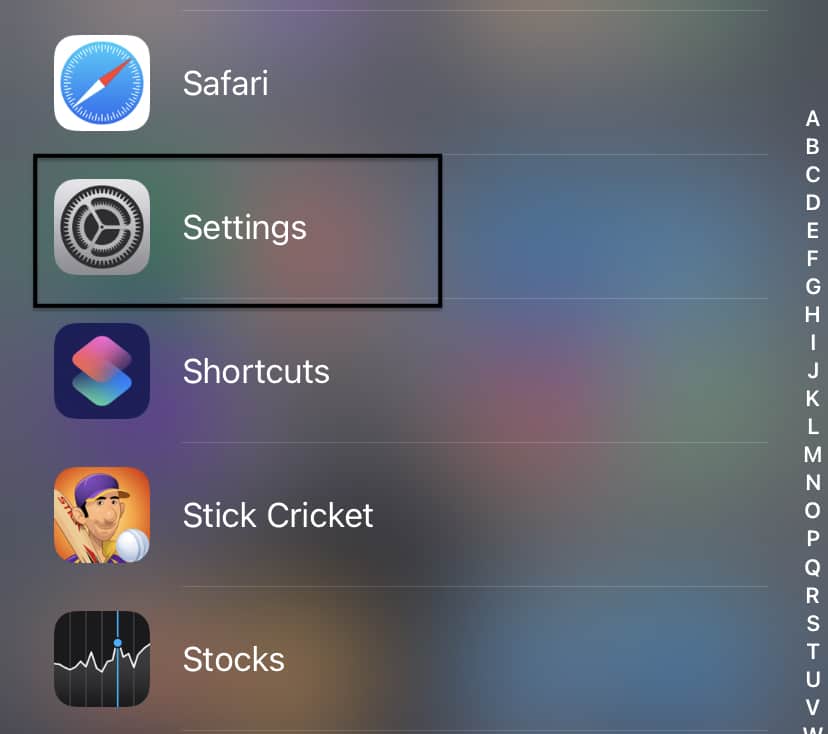
  • Open the ‘Settings’ app on the iPhone.
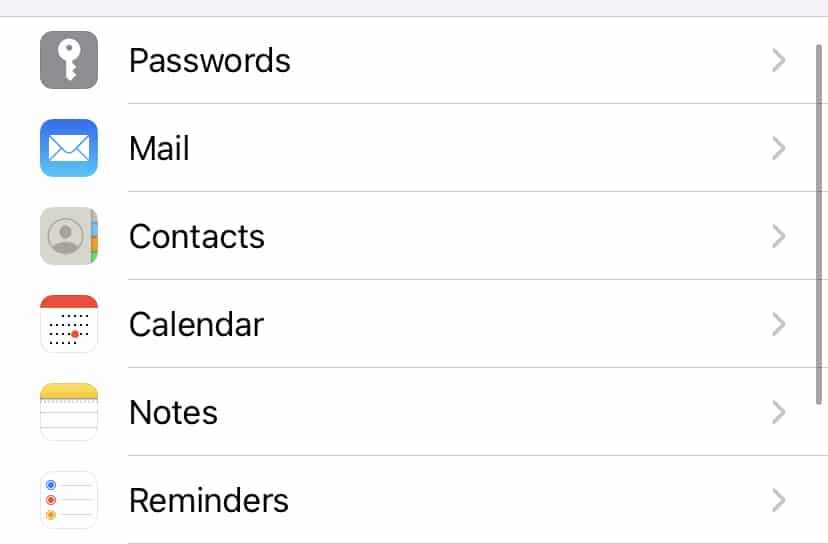
  • Scroll through the settings menu and tap on the ‘Mail’ app settings.
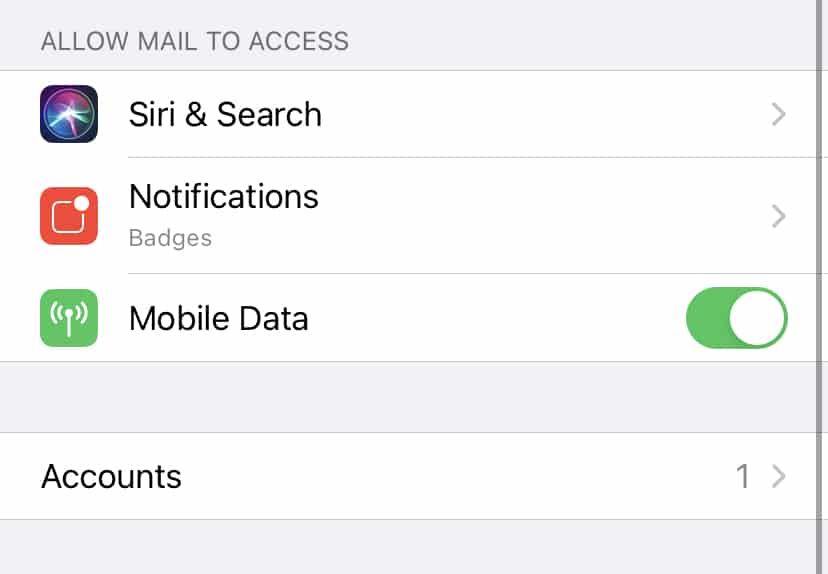
  • Tap on the ‘Accounts’ option in the Mail settings.
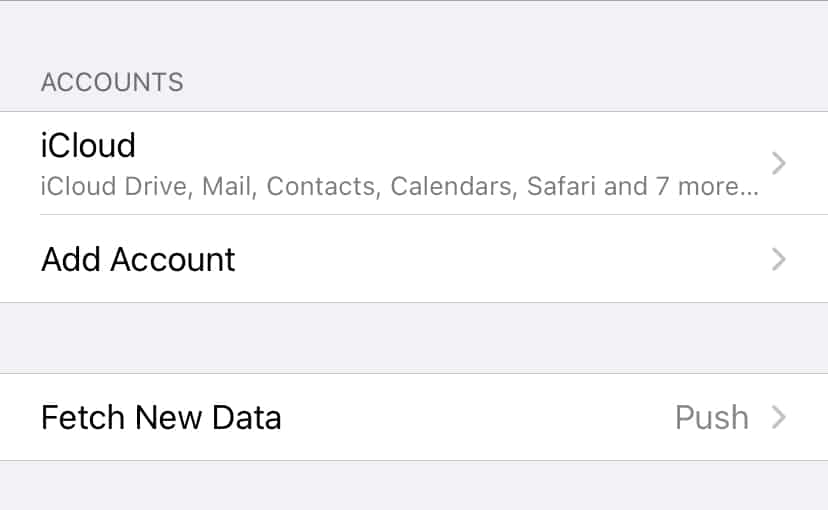
  • Now, tap on the ‘Add account option.
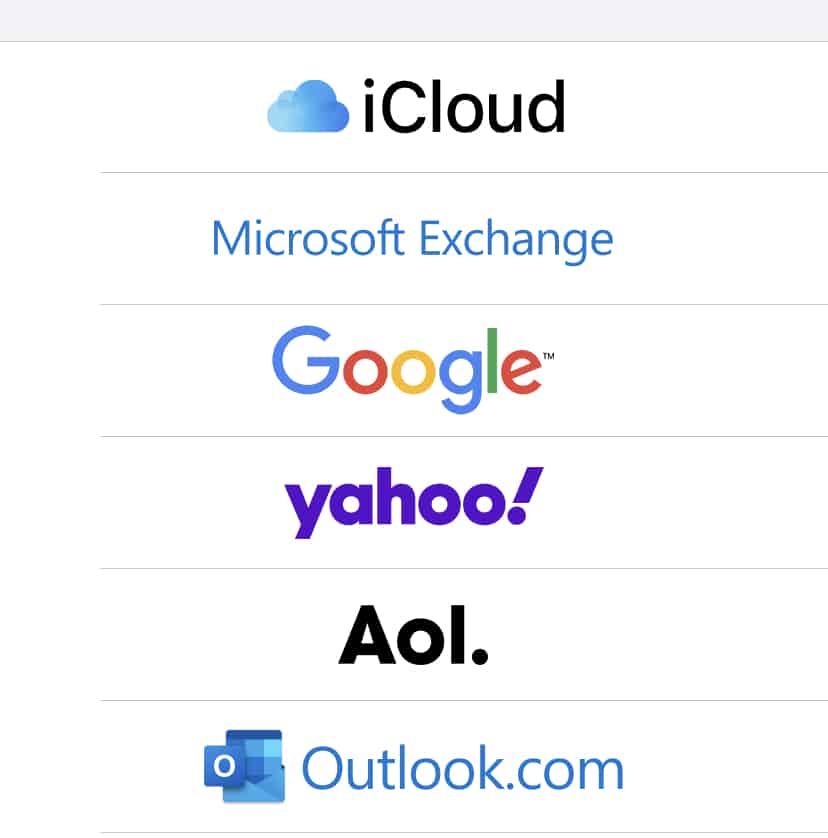
  • Choose the email provider of your account. We will go with Google for this tutorial.
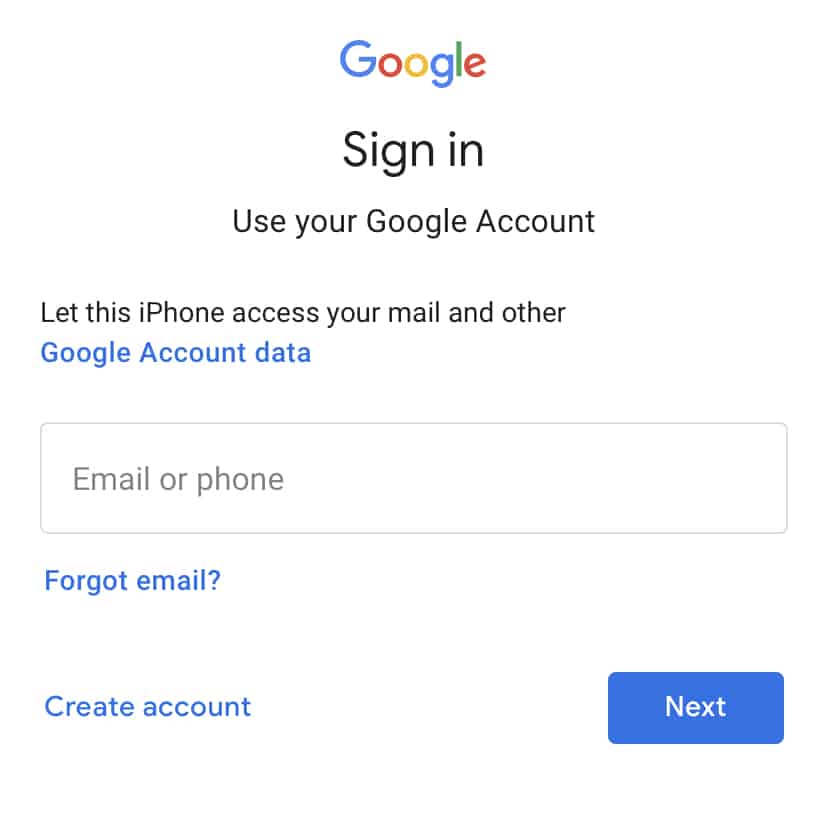
  • You will now see the familiar Google Sign-in form. Enter your credentials and complete the login process.
Open the ‘Settings’ app on the iPhone.


How to add an email account in an iPhone


Scroll through the settings menu and tap on the ‘Mail’ app settings.


How to add an email account in an iPhone


Tap on the ‘Accounts’ option in the Mail settings.


Now, tap on the ‘Add account option.
 

How to add an email account in an iPhone


Choose the email provider of your account. We will go with Google for this tutorial.


You will now see the familiar Google Sign-in form. Enter your credentials and complete the login process.


After a few moments, you will see your Gmail account synced to your iPhone.

You can similarly add other email clients within the app if you are in the habit of using multiple email IDs for your work and personal use.

The Mail app comes pre-installed on Mac and Macbook, as well as iOS and iPadOS devices, which means you can get started right after you boot and set up your devices.

Tags
email accountiPhone
Share
Previous How to connect an iPhone to a Mac
Next Are Casino Apps Secure For Casino Players?

Trending Now

Google+

The Google+ project A quick look [video]

Convert and watch YouTube videos in 3D.

Google+

Anyone still needs a Google+ invite ?

Nyan Cat

Viral video:Nyan Cat Indian Bollywood Version.

Google+

Google 2011 Q2 revenues hits $9 billion

Google+

Have you received the Google Plus cheat sheet?

Twitter

Twitter celebrates 5 years of its existence

Recent Posts

  • Samsung mobile AI photography tools teased ahead of the San Jose Unpacked event
  • YouTube outage in the United States leaves thousands of users in the dark
  • Lewis Hamilton F1 2026 safety fears dismissed at the Bahrain test
All Rights Reserved TechPlugged.com
  • Home
  • About us
  • Contact Us
  • Privacy Policy
  • Tech News
  • Reviews
  • Auto Tech
  • Troubleshoot
    • Glossary
Press ESC to close
[convertkit form=3237866]