

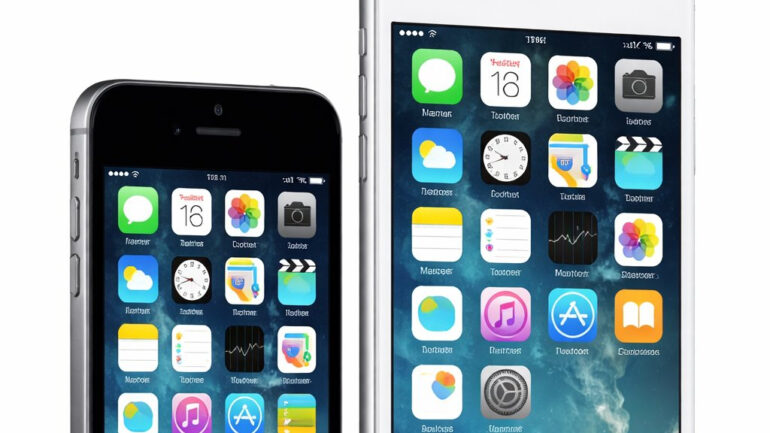

It is not every day that you see a tech giant looking back at hardware that most people have already tucked away in a junk drawer. Usually, the cycle is predictable: you buy a phone, you use it for a few years, and then the software updates stop coming. Eventually, your favorite apps stop working, and you are forced to upgrade. But recently, Apple decided to flip the script by releasing updates for old iPhone models that are, quite literally, over a decade old.
If you are still holding onto an iPhone 5S or an original iPad Air, you might have noticed a notification waiting for you. While these are not the flashy feature updates we see every September, they are arguably more important for anyone who still relies on these classic devices. This move has sparked a lot of conversation about how long a smartphone should actually last and whether the “planned obsolescence” we often complain about is finally starting to fade.
Table of Contents
Why Apple is patching ancient software
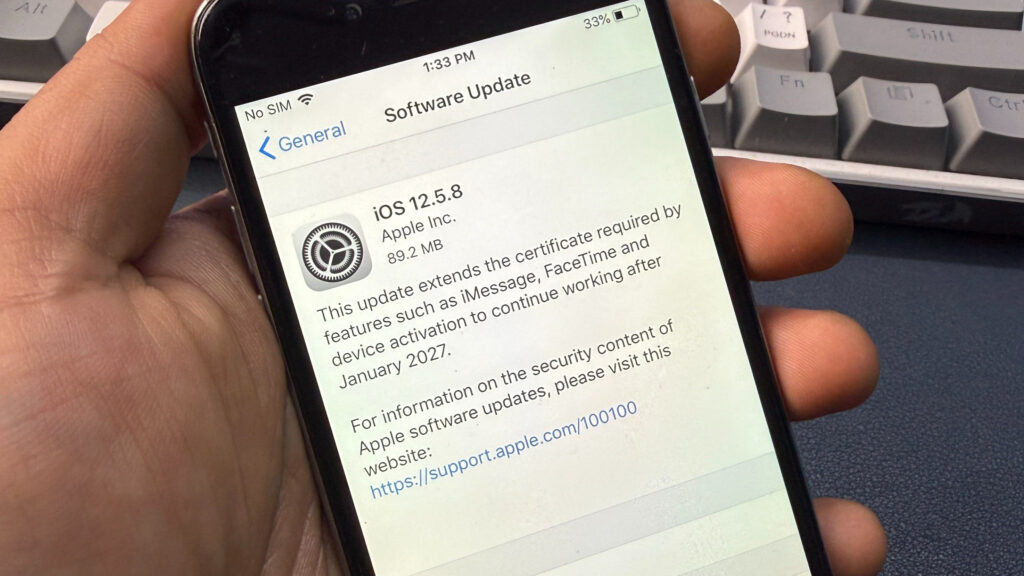
You might be wondering why a company would spend resources on software as old as iOS 12. The reason is not actually about adding new emojis or changing the lock screen. These updates for old iPhone models are specifically designed to address security certificates.
Think of these certificates like a digital passport. They allow your phone to talk to Apple’s servers securely. Without this update, core services like iMessage, FaceTime, and even the ability to sign into your Apple ID would have simply stopped working by early 2027. By pushing out these patches now, Apple is ensuring that these devices do not become expensive paperweights overnight. It is a quiet but significant move that keeps the lights on for millions of users worldwide who might not be ready or able to switch to the latest hardware.
The devices getting a second lease on life
The scope of this update is actually quite impressive. We are seeing patches for iOS 12.5.8, which covers the iPhone 5S, iPhone 6, and the iPad mini 2. To put that in perspective, the iPhone 5S was released back in 2013. That is twelve years of support for a device that many competitors would have abandoned after three or four.
Other versions getting attention include iOS 15.8.6 for the iPhone 6S and 7, and even iOS 16.7.13 for the iPhone 8 and the iconic iPhone X. While these phones are certainly showing their age in terms of speed and battery life, they are still perfectly capable of handling basic communication. For many people, an old iPhone 6S makes a perfect first phone for a child or a reliable emergency backup kept in a glove box. These updates for old iPhone models make those use cases viable for several more years.
A gap in the patching strategy
Despite the good news, there is a bit of a weird inconsistency in how these updates are being rolled out. While Apple reached all the way back to iOS 12, they seem to have skipped over a few middle children. For example, while iOS 16 received a patch, there has not been an equivalent certificate renewal for devices stuck on iOS 17.
This creates a bit of an “update sandwich” where the oldest and the newest phones are secure, but a small group in the middle is left waiting. This inconsistency is a bit puzzling for tech enthusiasts who track these things closely. If you are using a device that hasn’t seen a patch yet, it does not mean your phone is broken today, but it does mean you should keep a very close eye on your settings menu over the next few months.
Is it worth using an older iPhone in 2026?
We have to be realistic here. Just because you have the latest updates for old iPhone models doesn’t mean your iPhone 6 is going to feel like a brand new iPhone 17. These devices have very limited RAM, often just 1GB or 2GB, which is a fraction of what modern apps require.
The Safari browser on these older versions of iOS also lacks many of the modern security protections needed to navigate the web safely today. You will also find that third party developers like Netflix, WhatsApp, or YouTube will eventually drop support for these older operating systems regardless of what Apple does. However, for the “basics” like texting through iMessage, making FaceTime calls to family, or using the device as a dedicated music player, these updates are a total lifesaver.
How to check for these updates
If you have one of these older devices tucked away, now is the time to dig it out and plug it in. To see if your device is eligible for these updates for old iPhone models, simply head to Settings > General > Software Update.
Make sure you are connected to Wi-Fi and have at least 50% battery or are connected to a charger. Even if you don’t plan on using the phone as your daily driver, installing these patches is a smart move. It ensures that if you ever do need that backup phone in an emergency, it will actually be able to connect to the services you need most.
iOS 12.5.8: Supports iPhone 5S, iPhone 6, iPad Air, iPad mini 2, iPad mini 3.
iOS 15.8.6: Supports iPhone 6S, iPhone 7, iPhone SE (1st gen), iPad Air 2, iPad mini 4.
iOS 16.7.13: Supports iPhone 8, iPhone 8 Plus, and iPhone X.
Price: Free over-the-air update.
