



Microsoft Teams custom emojis are the latest addition to the world of corporate communication, and depending on who you ask, this is either a brilliant way to build company culture or a recipe for total chaos. For a long time, the standard set of yellow smiley faces and thumbs up icons has felt a bit rigid for modern offices. We have seen other platforms like Slack allow users to go wild with custom icons for years, but Microsoft has traditionally been the more buttoned up, serious sibling in the room. That is changing now as the tech giant opens the floodgates for companies to bring their own internal jokes and branding directly into the chat bar.
The idea is simple enough. Instead of relying on the same old heart or applause icons, your IT department can now upload specific graphics that mean something to your specific team. Maybe it is a tiny version of your company mascot, a badge for a specific project, or even a specialized “well done” icon that aligns with your brand colors. On the surface, it is a fun way to liven up a Tuesday morning meeting, but as with anything involving the internet and a group of coworkers, the potential for things to get a little weird is definitely there.
How the new system works for organizations
The rollout of Microsoft Teams custom emojis is not a free for all where every single employee can upload whatever they want. Microsoft has wisely put the keys in the hands of the administrators. This means that the people in charge of your Microsoft 365 tenant get to decide what icons are appropriate for the workspace. Admins can upload images in standard formats, and once they are live, they appear in a new “expanded” reaction menu for everyone in the organization to use.
This tiered approach is meant to keep things professional. By centralizing the control, a company can ensure that the emojis being used actually represent the values of the business. You can have up to 5,000 custom reactions, which is a massive amount of space for creativity. Whether you want to celebrate a successful product launch with a custom rocket ship or just have a specific “on it” icon for task management, the capacity is certainly there to cover every possible workplace scenario.
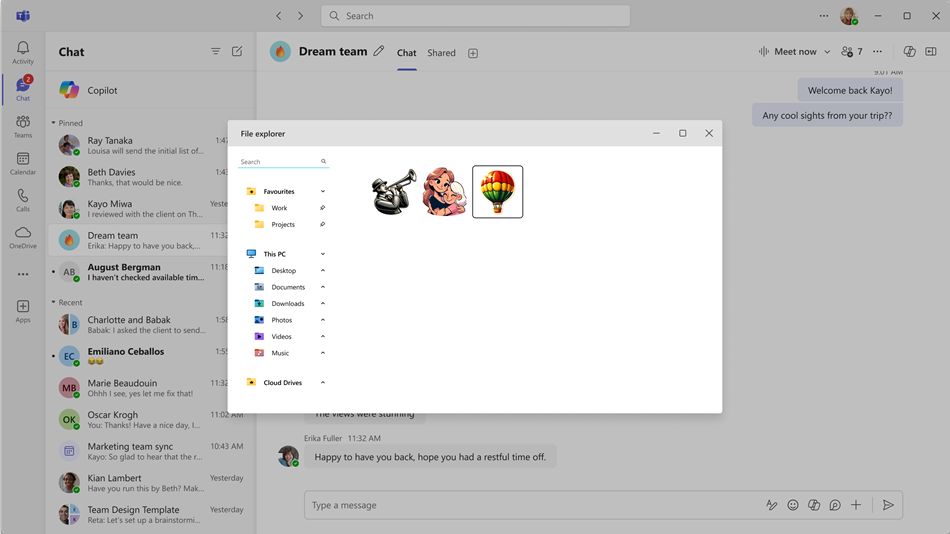
Bridging the gap between Slack and Teams
For many years, one of the biggest sticking points for companies choosing between Slack and Teams was the “fun factor.” Slack has always felt like the cool startup office with its endless library of community created emojis and fast paced reaction culture. Microsoft Teams, while incredibly powerful and integrated into everything we do, often felt a bit like a sterile fluorescent lit hallway by comparison.
By introducing Microsoft Teams custom emojis, Microsoft is clearly trying to close that gap. They want the platform to be a place where people actually enjoy spending time, not just a place where they go to file reports and sit through muted video calls. This move acknowledges that the way we work has changed. Remote and hybrid teams rely on these small digital signals to replace the physical cues of an office, like a nod of the head or a quick high five. Giving teams the ability to customize those signals makes the digital office feel a bit more like home.
The potential for workplace mischief
Of course, we have to talk about the elephant in the room. When you give people the ability to react with custom images, you are opening a door that is very hard to close. While admins have the final say, the pressure to be the “fun” boss might lead to some questionable choices. We have all seen how a harmless inside joke can quickly become a bit awkward when it is immortalized as a tiny pixelated icon that someone accidentally clicks during a serious HR meeting.
There is also the question of “emoji fatigue.” With 5,000 slots available, there is a risk that the reaction bar becomes so cluttered that it actually hinders communication rather than helping it. Finding the right icon might start to take longer than just typing a quick reply. However, for most teams, the novelty will likely settle into a few key favorites that become part of the daily shorthand. It is a social experiment on a corporate scale, and it will be fascinating to see how different industries handle the responsibility.
Security and moderation in the chat
Microsoft has built in several safeguards to ensure that Microsoft Teams custom emojis do not become a security nightmare. Since the icons are managed at the tenant level, there is a clear trail of who uploaded what. This accountability is key for enterprise environments. Furthermore, because these are internal to the organization, you do not have to worry about a “branded” emoji from a partner company suddenly appearing in your private chats unless you have specific guest permissions set up.
For the non tech savvy users, the transition should be seamless. The custom icons will simply appear as an extra tab in the emoji picker. You do not need to download anything or change any settings on your individual laptop. It is all handled in the background by the IT team. This ease of use is one of the reasons why Teams has become so dominant in the first place; it just integrates into the workflow you already have without requiring a steep learning curve.
