

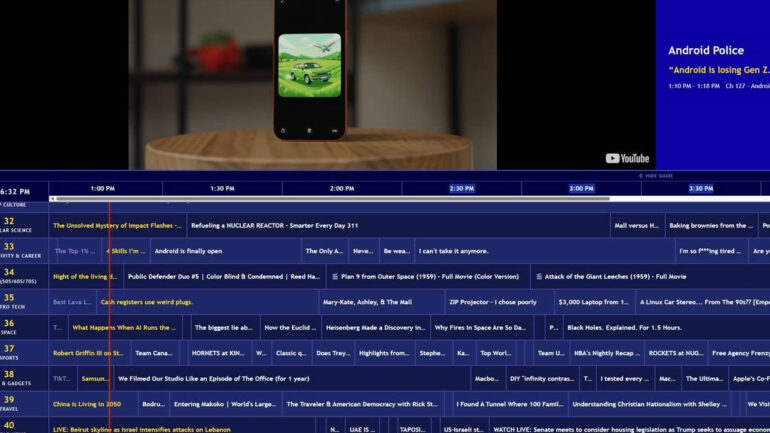

Channel Surfer is a new YouTube web app that does something surprisingly simple and kind of brilliant: it lets you watch YouTube the way people used to watch cable TV back in the 90s. No scrolling through recommendations, no algorithm rabbit holes, no 20-minute deliberation about what to put on. You just pick a channel and whatever is playing, plays.
The app was built by Steven Irby, a London-based developer and self-described tech industry veteran who has spent the past decade-plus travelling the world. And going by the numbers, he clearly struck a nerve with this one. Channel Surfer crossed 10,000 views on its very first day after Irby posted about it on X.
What it actually does
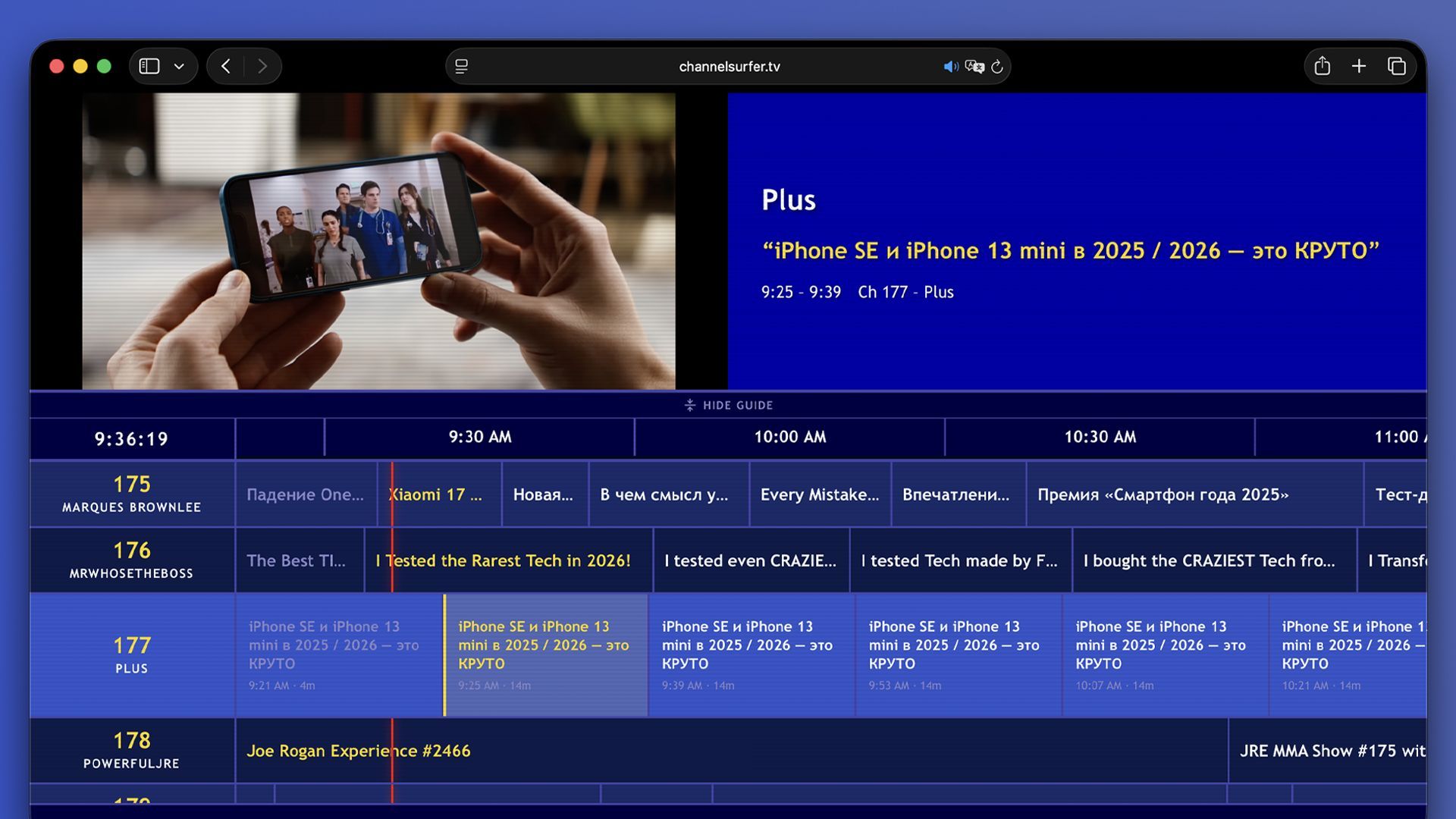
Think of it as a TV guide for YouTube. The interface looks like a retro cable channel guide, and it works pretty much the same way. You have 40 themed channels to flip through, and when you tune into one, you join whatever video is already playing mid-stream. That is intentional. You are not choosing a specific video. You are just tuning in, exactly like you would with live television.
The channel lineup covers a decent spread. There is the expected stuff like news, sports, politics, and lifestyle content, plus music channels and a solid selection of tech-focused ones. That tech tier includes channels for AI and machine learning, coding and development, space, retro tech, gadgets, and gaming. So the app is clearly not just built for nostalgia seekers. There is real substance here for people who want to passively consume interesting content without having to curate it themselves.
The guide also shows you what is coming up on all the channels, and you can scroll ahead to browse programming for the next 24 hours. It is a small touch, but it adds a lot to the feeling that you are actually watching something scheduled rather than just pulling videos from an endless void.
There is also a viewer counter at the bottom of the screen that shows how many other people are currently watching alongside you. Irby mentioned that small detail specifically when talking about why he built the app, and it tracks. Part of what made cable TV feel different from on-demand watching was the shared experience of everyone being on the same channel at the same time.
Why he built it
Irby was pretty direct about his frustration with modern streaming. “I built Channel Surfer because I’m tired of the algorithms and indecision fatigue,” he told TechCrunch. “I miss channel surfing and not having to decide what to watch. I want to just sit and tune into what’s on and not think about what to watch next.”
He also drew a comparison to how his mother watches cable TV and said he wanted the same experience but with YouTube content instead. That is honestly a pretty relatable thing to say. The exhaustion of infinite choice is real, and services like Plex, Pluto TV, and Tubi have all built audiences specifically around the idea of offering live, scheduled channel viewing within the streaming world. Channel Surfer takes that concept and applies it to YouTube, which already dominates TV streaming in the US according to Nielsen data.
How it is built
Under the hood, Channel Surfer is currently a static Next.js site using PartyKit and hosted on Cloudflare. GitHub Actions runs a script that refreshes the data daily. There is no backend yet. The channels are playing YouTube embeds, which means YouTube’s ads run through as normal. That is actually an important detail since it means the app should not be running into any policy violations on YouTube’s side.
Irby used Claude to help with parts of the coding process, though he was clear that the site is not what people would call “vibe-coded.” There is a distinction worth making there. AI-assisted development and AI-generated development are not the same thing, and Irby seems to be sitting firmly in the former camp.
At launch, the Channel Surfer YouTube web app gives free access to 175 YouTube channels and 25 music playlists. If you subscribe to Irby’s newsletter, you also get the option to import your own YouTube subscriptions into the app. The process involves dragging a bookmarklet to your browser bar, opening your YouTube subscriptions page, clicking the bookmarklet, and then pasting the copied JSON data back into Channel Surfer. Straightforward enough, and it potentially adds hundreds more channels to your personal lineup.
The app already works on mobile devices and tablets, though Irby says that side of things still needs more work. The bigger ambition is to bring it to TV platforms like Fire TV and Google TV, which would make a lot of sense. This kind of passive, lean-back viewing experience is naturally suited to a television screen.
